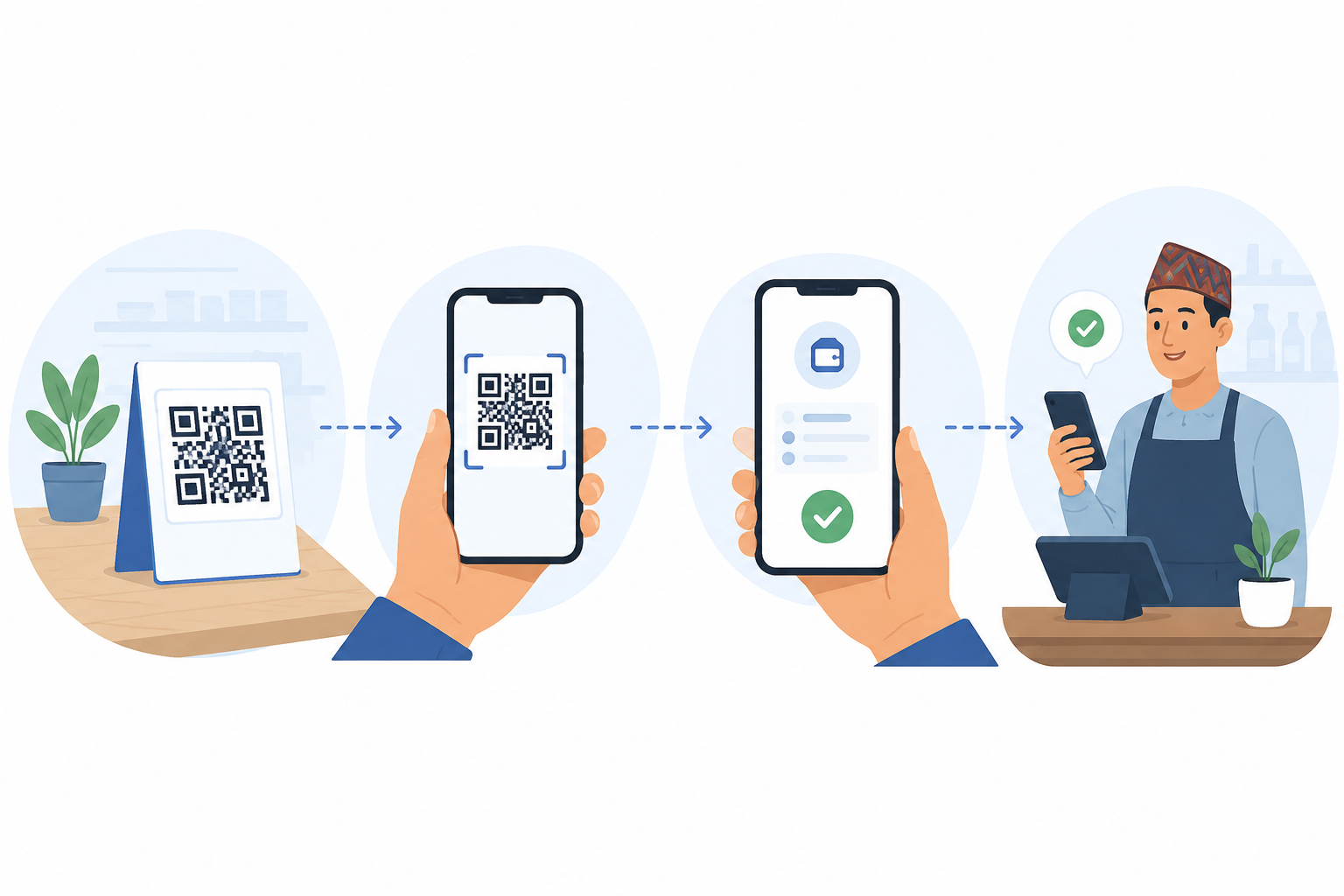

QR payments in Nepal work through a standardized system: scan, confirm, authenticate, done
When you scan a merchant’s QR code and pay, the money moves from your digital wallet to the merchant’s wallet in a few seconds. The QR code itself is just a formatted string of text that tells your app where to send the payment. No card, no cash, no paper receipt needed.
How to pay with QR: step by step
1. Open your digital wallet app (eSewa, Khalti, IME Pay, or any NRB-licensed wallet).
2. Tap the scan icon, usually at the top of the home screen.
3. Point your phone camera at the merchant’s QR standee or sticker.
4. Enter the amount you want to pay. Some merchants have dynamic QR codes that already include the amount.
5. Check that the merchant name on your screen matches the shop name.
6. Authenticate with your PIN, fingerprint, or face ID.
7. Wait for the confirmation screen. Show it to the merchant if they ask.
Interoperability
Nepal’s payment system uses the National Payment Switch and Fonepay rails behind the scenes for merchant QR. That means a QR code printed by one acquirer can often be scanned and paid from a different acquirer. The merchant does not need separate codes for customers. However, cross wallet interoperability isn’t available. Bank QR generated by open QR standard is still interoperable.
Safety checks before you confirm
Always verify the merchant name on the confirmation screen. Scammers have been known to swap QR stickers on shop counters. If the name does not match the shop, ask the owner. Do not scan QR codes sent over messaging apps from strangers. Those are almost always fraud attempts.
FAQ
Is QR payment safe in Nepal?
Yes, if you follow basic checks. The system itself is regulated by Nepal Rastra Bank and uses encrypted connections. The risk comes from human error: scanning the wrong code, entering the wrong amount, or falling for scams over messaging apps.
Do I need internet to scan and pay?
Yes, both you and the merchant need an active data connection. The transaction happens in real time over the payment network.
What if the payment fails but money leaves my wallet?
Failed transactions usually reverse automatically within a few minutes. If not, take a screenshot of the error and contact your wallet’s customer support with the transaction reference number.
Internal links: eSewa vs Khalti vs IME Pay, NRB regulation post