
If you work with Nepali documents, you know the struggle. You get a Word file (.docx) perfectly formatted. Tables, bullets—the whole layout looks good.
But the document is using Preeti font.
Unicode is the standard now. But if you’ve ever tried copying and pasting into those normal online converters… it wrecks everything. Your formatting is just gone. Manually converting table to unicode is time consuming.
But there’s an actual fix for this. Preeti App converts Preeti to Unicode DOCX; it converts the whole file; it keeps your formatting exactly how it was. Basically, here’s how this works for anyone who types in Nepali.
The Fix: Preeti DOCX to Unicode DOCX Converter
Most older converters just do plain text. You paste it in, convert, paste it back—then spend hours fixing broken tables and lost bold text. It’s miserable.
🌟 Main Feature: Doesn’t Mess Up Your Layout You upload the Preeti document. The app scans it, swaps the font to standard Unicode, and hands you a new .docx to download.
Here’s what it actually keeps:
- Tables and Cells: No broken rows. Data doesn’t spill out everywhere; it stays put.
- Text Styles: Bold, italics, underlines. Untouched.
- Document Layout: Keeps your margins, paragraph alignments. Headers and footers too.
- Lists: Bullets and numbered lists stay exactly how you made them.
How to Convert Your Preeti Word File to Unicode
- Go to app.pritush.com.np.
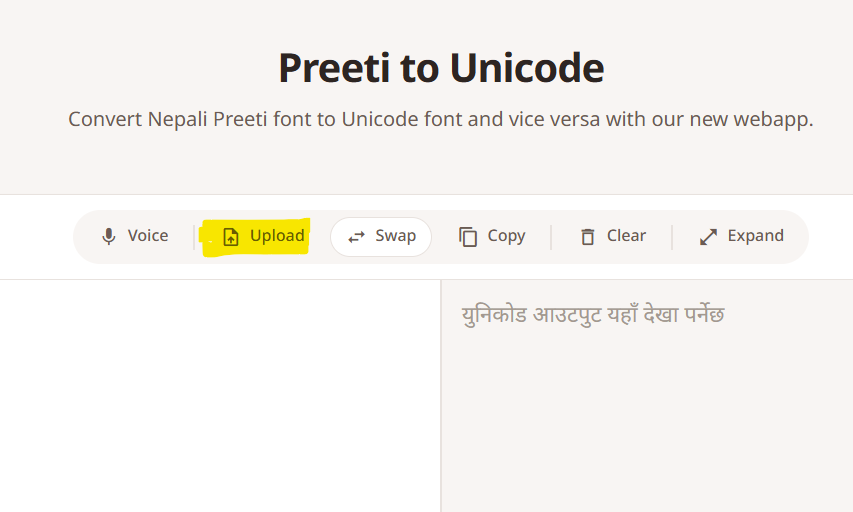
- Upload your Preeti .docx file, click upload
- Click “Convert”.
- Download your new Unicode .docx file. All your formatting and tables will still be there.
Other Good Features
The DOCX thing is the main reason to use it, but Pritush Web App has some other stuff for Nepali typing too.
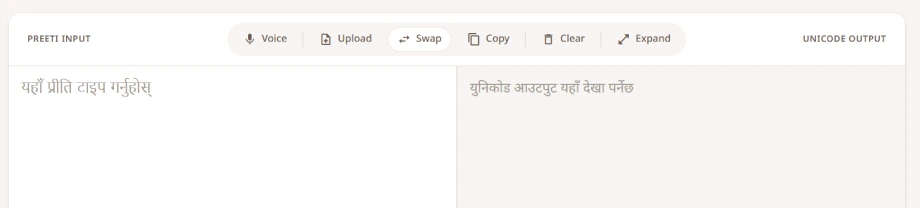
🎙️ Nepali Voice Typing (Speech to Text) Typing long documents sucks. You can use the voice feature instead. Just hit the mic and speak naturally in Nepali—the app transcribes your voice to Unicode text right then and there. Good for taking notes fast.
⌨️ Smart Nepali Typing (Google Transliterate) If you don’t know the traditional Nepali keyboard layout, it has Roman-to-Nepali typing powered by Google.
How it works: Type in Roman English (“Mero nam Ram ho”). Press space. It instantly turns into correct Nepali Unicode (“मेरो नाम राम हो”). It’s fast and you don’t really have to learn anything new.
Why use Preeti App?
- Saves Time: You don’t have to rebuild your Word doc after converting.
- Simple: The interface is clean. No annoying ads.
- Accurate: Handles those weird half-characters properly.
- Browser-Based: Runs totally online on PC or phone; you don’t have to download anything.
FAQ
Q: Can I convert a Preeti Word document containing tables to Unicode?
A: Yes. The converter at app.pritush.com.np keeps the document structure. It converts the text inside tables without wrecking the columns or cells.
Q: Does it keep bold and italic text?
A: Yeah. Font sizes, bold, italics, underlines—it all transfers over to the new Unicode file.
Q: Is there a tool to type in Nepali using an English keyboard?
A: Yes, it has an integrated typing tool using Google Transliterate. Type phonetically in English, it converts to Unicode.
Q: How accurate is the Voice Typing?
A: Really accurate. It uses speech recognition to catch spoken Nepali and transcribe it instantly.
Conclusion
Moving old documents and papers from Preeti to Unicode shouldn’t mean redoing all your formatting from scratch. It’s a waste of time. With app.pritush.com.np, you finally get to convert DOCX files and actually keep your tables and layouts.
If you want to stop wasting hours fixing margins, try the Preeti to Unicode DOCX Converter today.